
 EN
 BG
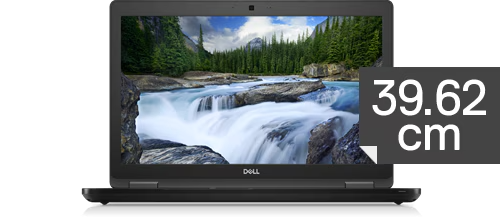
Dell Latitude 5590 15.6-inch mainstream business laptop with a numeric keypad from the Latitude 5000 series
The Dell Latitude 5590 is the desk-focused 15.6-inch model in the mainstream Latitude 5000 series: a large screen, a full keyboard with a numeric keypad, and easy serviceability for a standard office fleet. As a refurbished business laptop from ITR Bulgaria, it is a sensible choice for companies that equip desk-based staff and value standardized, easy-to-service machines.
Benefits
Why the Dell Latitude 5590 makes sense as a refurbished business laptop for desk work
15.6″ screen and numeric keypad
A large work surface and a full keyboard with a numeric keypad on the right — for people who work mostly at a desk and enter a lot of numbers.
Mainstream Latitude 5000 class
The middle of Dell's business line — full corporate features and a balance of price and function, below the flagship Latitude 7000.
RAM upgrade to 32 GB (2× SO-DIMM)
DDR4-2133/2400 according to processor generation across two SO-DIMM slots, with no soldered modules — real headroom to upgrade to 32 GB after purchase when the workload grows.
Up to 2 TB NVMe SSD
A single M.2 NVMe slot takes up to 2 TB of fast storage — enough for large document archives without an external drive under the desk.
7th/8th-gen Intel Core + optional MX130
8th-gen Intel Core with UHD 620, or 7th-gen with HD 620, for the everyday office suite; some configurations add a discrete NVIDIA GeForce MX130 for lighter graphics work. vPro is an option for fleet management.
51 Wh battery with ExpressCharge
With a compatible battery, ExpressCharge mode enabled and the laptop switched off, Dell ExpressCharge gets you to about 80% in an hour with the supplied charger — enough for the occasional move between two meeting rooms. Capacity varies by configuration.
720p camera with privacy shutter
An HD camera with a physical cover you close with a finger when you're off a call — simple protection you can see at a glance.
Full port set with RJ45
Three USB-A 3.1 ports, HDMI, an SD reader and a full-size RJ45 for wired networking — handy in offices that still rely on cable and older peripherals.
Business security (TPM 2.0)
TPM 2.0 as standard; Dell ControlVault 2, the fingerprint reader next to the touchpad and the smart card readers come in optional bundles — a corporate set for protecting access, depending on the equipment.
Value as a refurbished laptop
As a used business laptop from an established corporate line, the Dell Latitude 5590 puts a business-class machine within reach at a more sensible price than a new budget model.
Dell Latitude 5590: the 15.6-inch mainstream Latitude with a numeric keypad
In the 15.6-inch mainstream business class of this generation, three machines landed on corporate desks at roughly the same time and in large numbers: the HP ProBook 650 G4, the Lenovo ThinkPad L580 and the Dell Latitude 5590. On paper they look alike — a big screen, a numeric keypad, a serious set of ports. The difference is what each one bets on. The ProBook 650 G4 offered a built-in DVD writer as an option for offices still working with physical media. The ThinkPad L580 adds the red TrackPoint and Lenovo's ThinkShield protection. The Dell Latitude 5590 takes a different route: a cleaner 15.6-inch chassis without an optical drive, built around wide distribution across corporate fleets and easy-to-source parts.
Dell's choice here is a practical one. Rather than filling the chassis with features few people use, the Dell Latitude 5590 offers a large, flat work surface: a 15.6-inch 16:9 screen and a full keyboard with a numeric keypad on the right. For someone in finance or administration who spends the day entering figures into an ERP system or Excel, that keypad saves thousands of small hand movements, the difference between comfortable and tiring desk work. This is a machine for a fixed workstation, not for the bag.
The term “portable computer” has traveled a long road to a machine like this — and its beginning weighed eleven kilograms. In 1981 the Osborne 1, the world's first mass-produced portable computer, sold with a five-inch screen built into a case the size of a sewing machine; “portable” meant it fit under an airplane seat and had a handle. Four decades later the Dell Latitude 5590 carries a screen with about 3.1 times the diagonal at a fifth of the weight — and nobody calls it a miracle. That is exactly what progress is: yesterday's sensation become today's given.
Latitude is one of the longest-running names in business laptops, a line Dell has built since the mid-1990s for people whose laptop is their workplace rather than an accessory. The Dell Latitude 5590's generation arrived just after Dell simplified the naming and dropped the old "E" from Latitude E5xx0, which makes the 5590 one of the first "clean" five-thousand models. Behind its plain look sit years of engineering for corporate use: an aluminium chassis tested to MIL-STD-810G for vibration, dust and temperature shock, and a spill-resistant keyboard that survives the distracted morning coffee. More important for the company buyer is the logic of the whole line. Dell designs it for large rollouts, with vPro management, the Dell Client Command Suite for centralized support, and standardized parts that the IT team can find and swap without guesswork. That is why thousands of companies hold the 5590 in near-identical configurations, and exactly why it refurbishes so well.
The platform is 8th-gen Intel Core, codenamed Kaby Lake-R (some entry units carry 7th gen), with integrated UHD Graphics 620 for the everyday office suite; certain configurations add a discrete NVIDIA GeForce MX130 for lighter graphics work. Memory is DDR4-2400 in two SO-DIMM slots — real headroom to upgrade to 32 GB after purchase, without soldered modules that lock the configuration for good. A single M.2 NVMe slot takes up to 2 TB of fast storage. The 51 Wh battery with Dell ExpressCharge returns about 80% in an hour, and the ports favour the useful everyday set: three USB-A 3.1, HDMI, a full-size RJ45 for wired networking, an SD reader and an optional smart card reader. The camera is 720p with a physical privacy shutter.
The trade-offs are honest, and they follow from the model's own idea. The Dell Latitude 5590 weighs about 1.97 kg and has no Thunderbolt; this is a desk machine you move rarely. If portability is the priority, the 14-inch Dell Latitude 5490 is the more sensible pick from the same series. If you need processor headroom — more cores for compiling or light virtual machines — the Dell Latitude 5591 is the Coffee Lake-H version of the same 15.6-inch chassis with a six-core option. And if you work with disc-based archives, the HP ProBook 650 G4 offers a built-in DVD drive as an option. For the standard desk, though, where the big screen and the numeric keypad do most of the work, the 5590 is exactly on target. As a refurbished business laptop from ITR Bulgaria, it is a used business laptop from an established corporate line — tested, configured and backed by a real warranty, giving you a business-class machine for less than a new budget model.
Who it's for
Scenarios where the Dell Latitude 5590 makes the strongest sense
Large office fleet
A company equipping dozens of desks at once. When every machine is the same widely deployed model, the IT team keeps one set of parts and one system image, so support becomes routine rather than detective work.
Accounting and administration
A finance or admin clerk moving numbers between an accounting system, spreadsheets and invoices all day. The numeric keypad on the right turns entering figures into reflex, so the hand never leaves the digits.
Desktop replacement
Someone who wants one large screen on the desk instead of a tower, but with the option to put it away at the end of the day. The 15.6-inch panel and full keyboard feel like a desktop without a box under the table.
IT teams with central management
A team that manages machines remotely. With the vPro options and the Dell Client Command Suite, an administrator pushes settings and diagnostics across the whole fleet without walking from desk to desk.
Model highlights
Mainstream Latitude 5000 series
The middle of Dell's business ladder — above the entry Latitude 3000 and below the flagship Latitude 7000. Positioned directly against the HP ProBook 600 and the Lenovo ThinkPad L series.
15.6″ 16:9 display + numpad
A 15.6-inch screen in HD or FHD (IPS option, up to 220 nits), with a full keyboard and numeric keypad. A large work surface for long stretches at the desk.
7th/8th-gen Intel Core + optional MX130
Intel Core i5 / i7 from the 8th generation (some entry units 7th gen) with UHD Graphics 620; select configurations add a discrete NVIDIA GeForce MX130. vPro is an option for fleet management.
RAM to 32 GB + up to 2 TB NVMe
Two SO-DIMM slots with DDR4-2400 — upgrade to 32 GB after purchase, with no soldered memory. A single M.2 NVMe slot takes up to 2 TB SSD.
51 Wh battery with ExpressCharge
With a compatible ExpressCharge battery, a suitable charger, the mode enabled and the laptop switched off, Dell ExpressCharge returns about 80% in 60 minutes and a full charge in about two hours. Battery capacity varies with the specific configuration.
Full port selection
3× USB-A 3.1, HDMI, a full-size RJ45, an SD reader and an optional smart card reader. No Thunderbolt — a desk-oriented set for peripherals and wired networking.
Security and manageability
TPM 2.0 and optional Dell ControlVault 2, an optional fingerprint reader next to the touchpad, and an optional smart card reader. With vPro and the Dell Client Command Suite for centralized fleet management.
A sound pick as a refurbished laptop
Wide deployment and standardized parts mean a used laptop from this line refurbishes easily and with a known result — an aluminium MIL-STD-810G chassis that takes years of office use.
Refurbished by ITR Bulgaria: what value do you get?
Buying a refurbished business-class laptop makes the most sense when the device has been through a standardized in-house refurbishment process and ships with a real warranty. That is how used laptops become refurbished laptops — a practical and professional alternative to new budget machines, and a far more sensible purchase than new premium equivalents.
- ✓ Technical audit and cosmetic assessment to an internal standard
- ✓ Refurbishment, cleaning, quality improvement and configuration to a standard for repeat business use
- ✓ Use of genuine software and a configuration prepared for the model
- ✓ Packaging, a real warranty and model support from ITR Bulgaria
Ready to see what's in stock?
The Dell Latitude 5590 is a refurbished business laptop from the mainstream Latitude 5000 series — a large screen, a numeric keypad and easy serviceability for the standard desk. Browse the current units or contact us for help.
Additional information
Where does the Dell Latitude 5590 fit in the series? ▼
The Dell Latitude 5590 is mainstream business class — the Latitude 5000 series, which sits in the middle of Dell's corporate line: above the entry Latitude 3000 and below the flagship Latitude 7000. At this level Dell gives you the full business feature set (vPro management, corporate security, serviceability) without the premium markup and thin chassis of the 7000 line.
Within the 5x90 generation the Dell Latitude 5590 is the 15.6-inch format. The more portable option is the 14-inch Dell Latitude 5490, and the high-performance version of the same 15.6-inch chassis is the Dell Latitude 5591 — the model ending in "1", which carries a Coffee Lake-H processor with four or six cores and battery options up to 92 Wh, versus 68 Wh on the 5590.
More broadly, the Dell Latitude 5590 lines up against the HP ProBook 650 G4 and the Lenovo ThinkPad L580 from the same period — the three large mainstream machines for desk-based office work.
The Dell Latitude 5590 is not ideal if… ▼
- You carry the machine every day — at about 1.97 kg and a 15.6-inch chassis the Dell Latitude 5590 is desk-oriented. For daily travel the 14-inch Dell Latitude 5490 is more comfortable.
- You need more processor cores for compiling, virtual machines or data analysis — the Dell Latitude 5591 is the Coffee Lake-H version of the same chassis, with a six-core option.
- You rely on Thunderbolt for compatible peripherals or fast external drives — the Dell Latitude 5590 has no Thunderbolt port. Single-cable USB-C docking is possible, for example with a Dell WD15. For Thunderbolt, look at a specific Latitude 7000 model with a confirmed Thunderbolt port.
- You work with optical-disc archives — the Dell Latitude 5590 has no built-in DVD drive. The HP ProBook 650 G4 from the same class offers a built-in DVD writer as an option.
- You want a 2-in-1 or tablet mode — the Dell Latitude 5590 is a standard clamshell with no 360-degree hinges (a touchscreen was offered only as an option on certain configurations).
- You need a guaranteed specific configuration (a particular processor, RAM, SSD, display or discrete graphics) — configurations vary, so it is worth checking the specific unit.
Which size and form factor should you choose? ▼
The 15.6-inch class is desk-oriented — a large work surface and room for a numeric keypad. The Dell Latitude 5590 sits right here: a big screen and a numpad for people who work mostly at a desk. The trade-off is weight, around 1.97 kg.
14-inch class (Dell Latitude 5490): lighter and more compact, more comfortable for daily carrying. Trade-off: a smaller screen and usually no numeric keypad.
Same size, more power (Dell Latitude 5591): the 15.6-inch chassis with a four- or six-core Coffee Lake-H processor and battery options up to 92 Wh — for heavier desk-bound tasks.
Form factor: the Dell Latitude 5590 is a standard clamshell with no 360-degree hinges. A touchscreen was offered only as an option; the machine is not a convertible.
Alternative models ▼
Within Dell:
Dell Latitude 5490 — the 14-inch model from the same series. Lighter and more compact for daily carrying, but with a smaller screen and usually no numeric keypad.
Dell Latitude 5591 — the 15.6-inch chassis with a four- or six-core Coffee Lake-H processor and 51, 68 or 92 Wh batteries. Better for compiling, virtual machines and data analysis; in return it is a little heavier.
Dell Latitude 5580 — the previous generation (Intel 6th/7th gen). A more affordable refurbished option, but on an older platform. Less recommended for long-term use.
Cross-brand alternatives (15.6″, mainstream business class):
HP ProBook 650 G4 — a direct mainstream rival in the 15.6-inch class. It offers a built-in DVD writer as an option and has a numeric keypad — the logical pick if the office still works with optical media. The Dell Latitude 5590 goes for a cleaner chassis without an optical drive.
Lenovo ThinkPad L580 — a 15.6-inch mainstream Lenovo ThinkPad with the same numeric keypad. It adds the red TrackPoint and ThinkShield protection; the Dell Latitude 5590 relies on its wider fleet distribution and easy-to-source parts.
Note: do not compare the Dell Latitude 5590 with the Dell Latitude 3000 series — that is a different, lower business class with a different target group.
Refurbished by ITR Bulgaria: what value do you get? ▼
With the Dell Latitude 5590, refurbishment has clear logic. The mainstream Latitude 5000 series is spread across thousands of corporate fleets in near-identical configurations, parts for it are easy to source, and the aluminium MIL-STD-810G chassis was built to take years of office use. That makes refurbishment professional, with a known result.
After the process, the used laptop is prepared for repeat business use: technical audit, cleaning, configuration, genuine software and packaging with a real warranty. For companies equipping desk-based staff, that is the difference between a random used business laptop and a refurbished business laptop backed by support from ITR Bulgaria.
Frequently asked questions ▼
Is the Dell Latitude 5590 a good choice as a used laptop?
Yes, especially for desk-based office work. The mainstream Latitude 5000 series was deployed in large numbers across corporate fleets, which means available parts and standardized configurations. As a refurbished laptop from this line, the Dell Latitude 5590 gives you a business-class machine with a large screen and a numeric keypad for less than a new budget model.
What's the difference between the Dell Latitude 5590 and Dell Latitude 5591?
Both share the 15.6-inch chassis, but the Dell Latitude 5590 uses dual-core 7th-gen or quad-core 8th-gen Intel U-series processors, while the Dell Latitude 5591 carries a four- or six-core Coffee Lake-H with 51, 68 or 92 Wh batteries; the 5590 offers 42, 51 or 68 Wh. The Dell Latitude 5591 suits compiling, virtual machines and heavier tasks; the Dell Latitude 5590 is the more balanced pick for standard office use.
Can the Dell Latitude 5590's memory be upgraded?
Yes. Memory is DDR4-2400 across two SO-DIMM slots, with no soldered modules, so it can be expanded to 32 GB after purchase. Storage is a single M.2 NVMe slot taking up to 2 TB SSD. That keeps the model flexible for long-term use.
Is the Dell Latitude 5590 suitable for equipping staff?
Yes — that is exactly what it was built for. The series supports centralized IT management through the vPro options and the Dell Client Command Suite, and standardized parts make supporting a whole fleet easier. As a refurbished business laptop from ITR Bulgaria, it comes with a warranty and support.
What configurations does the Dell Latitude 5590 come in?
The model appears in a wide range: Intel Core i3/i5/i7 (mostly 8th gen, some entry units 7th gen, some with vPro), RAM from 8 to 32 GB, NVMe SSDs of varying capacity. Certain units offer a discrete NVIDIA MX130, an FHD IPS or touch panel, a Privacy Screen, a fingerprint reader or a smart card reader. It is worth checking the specific unit.